One of the most effective ways of attracting viewers is using customized YouTube thumbnails. Videos that have vastly different thumbnails can confuse potential viewers, emphasize other aspects of the video, and detract from the impression you want to make. Titles and thumbnails tend to be the most important factors influencing a video’s click-through rate (CTR).
As a content creator, blogger, marketer, designer etc. YouTube thumbnails may be needed for analyses, inspiration, presentations, or social media posts.For example, you may need to download YouTube thumbnails in high resolution.
The following guide will help you obtain thumbnails from YouTube in HD, Full HD, and even 4K. The methods outlined do not require software installations and can be used from online tools that are compatible with your PC or mobile device.
What Is a YouTube Thumbnail?
YouTube thumbnails are mini images that are shown in search results, recommended videos, and in playlists. They are meant to summarize the content in the video and entice users to click on the video.
Thumbnails can be:
YouTube auto-generates thumbnails – These are low to medium quality
Creators upload their own custom thumbnails – These are high quality and more likely to grab attention.
A good thumbnail usually includes:
Visuals that are easy to understand
Text that is bold, easy to read
Colors that are bright and contrasting
The thumbnail is the correct size and has the right aspect ratio.
You can achieve a lot by downloading a thumbnail. It can be used to analyze competitor thumbnails, create a similar design, or educational content.
Why Download YouTube Thumbnails in HD?
Being able to download HD thumbnails is useful for:
Content Analysis – Find out what the best do.
Design Inspiration – Discover fonts, colors and layouts.
Marketing Research – Learn about how it affects CTR.
Presentation & Blog Use – Include high-quality visuals in your content.
Mobile & Desktop Usability – HD images look professional on any screen.
Thumbnails that are of low quality look fuzzy and unpolished. HD thumbnails better clarity and user experience.
YouTube Thumbnail Sizes & Resolutions
YouTube generates multiple thumbnail resolutions for every video:
| Quality | Resolution | Notes |
| Default | 120 × 90 px | Small preview |
| Medium | 320 × 180 px | Standard preview |
| High | 480 × 360 px | High-quality preview |
| HD | 1280 × 720 px | Recommended for clarity |
| 4K | 3840 × 2160 px | Ultra high resolution |
Recommended size for custom thumbnails:
- 1280 × 720 px (16:9 aspect ratio)
- Maximum file size: 2 MB
- Supported formats: JPG, PNG, WEBP
Using the right size ensures that your thumbnail looks sharp on all devices.
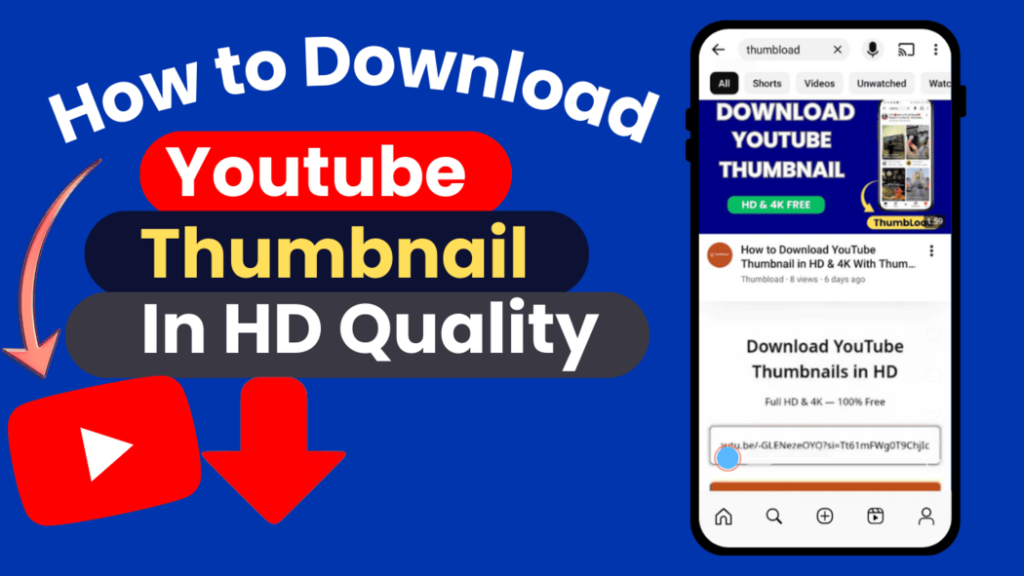
How to Download YouTube Thumbnail in HD (Step-by-Step)
Step 1: Obtain the YouTube Video URL
Visit YouTube
Find the video you wish to download
Click the Share button → Click Copy Link
Step 2: Go to Thumbload Site
You can use Thumbload.net or any youtube thumbnail downloader you trust. Thumbload.net is free, fast, and safe!
Step 3: URL Pasting
Find the text box where URL can be pasted.
Click Generate Thumbnail
Step 4: Resolution Selection
Select the resolution you want (HD, Full HD, or 4K)
Click Download
You have successfully downloaded the thumbnail!
Download YouTube Thumbnail Without Software
Advantages of online tools:
No software installation required
Free to use
Works on mobile and PC
No watermarks
You can download several thumbnails fast without the apps or extensions to browser.
Supported Image Formats
JPG: Standard format, widely compatible
PNG: Higher quality, supports transparency
WEBP: Small, compressed (for web and or mobile)
Select the format thats best for you depending on how you’re using it. JPG will suit all your needs, PNG is for editing and WEBP for fast websites.
Common Issues & Solutions
Thumbnail Not Appearing
Make sure the video is public
Check the URL is correct
Low-Resolution Image
Choose HD or Full HD in the downloader
Thumbnail is not visible in the mobile gallery.
Check Downloads folder
iPhone may need to be saved manually to Photos
Legal Considerations
You’re free to download thumbnails for your personal use, study and analysis
No commercial use without permission
Watch copyright laws and fair use rules
Frequently Asked Questions (FAQ)
Can you download thumbnails from private videos?
No, we only support public videos.
Is Thumbload.net free to use?
Yes, it is absolutely free and there is no sign up.
Is it possible to download thumbnails in 4K?
Yes, if the video has 4K resolution thumbnails enabled.
Do I need software or apps?
No, there are no installations online tools run in your browser.
Conclusion
It’s even possible to download high-definition YouTube thumbnails using online tools for free. Whether you’re a writer, designer, marketer or blogger, HD thumbnails can help you to analyze, learn and make visually stimulating content.
Thumbload.net is an easy-to-use free YouTube thumbnail downloader online that works for PC and mobile users to get high-quality thumbnails in HD, Full HD, or 4K.
Leave a Reply