
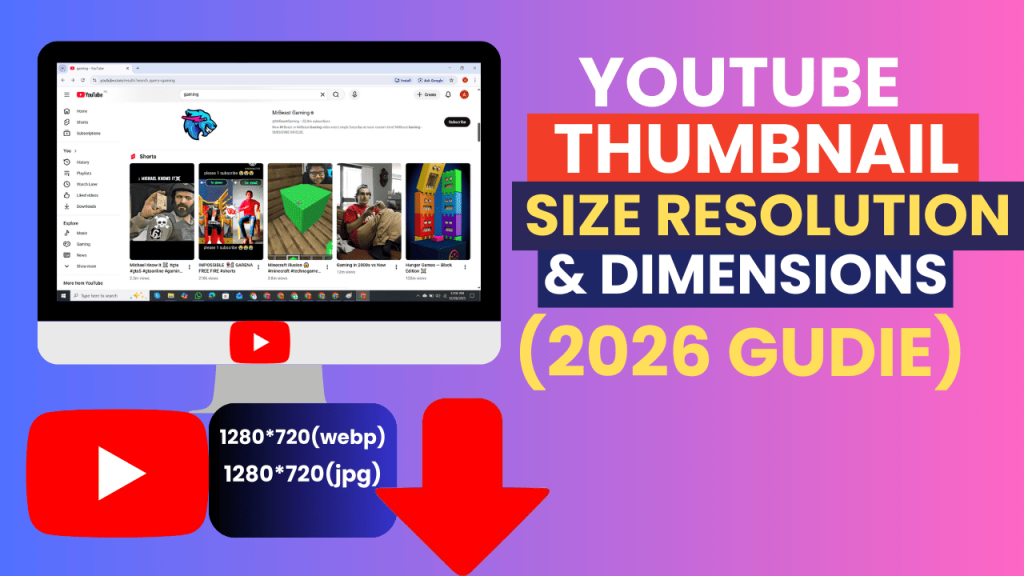
YouTube video thumbnails are one of the most important aspects of a video’s success. They are the first impression a viewers gets, and a good looking thumbnail with high quality resolution can increase click-through rates (CTR), overall engagement.
In 2026 there are millions of videos competing for attention and getting the right thumbnail size, resolution and dimensions is more important than ever. And whether you’re a content creator, marketer, designer or blogger, knowing these standards will help your videos look professional and earn you more views.
This is a complete thumbnail size guide that tells you everything about YouTube thumbnail dimensions, resolutions, best practices, mobile and desktop uses and how to use HD thumbnails for your projects.
What Is a YouTube Thumbnail?
A YouTube thumbnail is the first impression of your video. Well, it shows up in search results and suggested videos but also in playlists or on the video page. It is thumbnails that play a critical role in video discoverability.
YouTube offers two main types:
Auto generated thumbnails – Created on YouTube by auto selecting from video frames.
Custom thumbnails – Uploaded by creators to attract more clicks and recognition.
A high-quality thumbnail should include:
Bright, eye-catching colors
Bold, readable text
Good, clear visuals of what the video is showing
Proper dimensions to avoid cropping
Download thumbnails for research process competitor analysis, design inspiration, or even as a featured image to use on your blog or content piece.
YouTube Thumbnail Sizes & Resolutions
YouTube generates multiple thumbnail resolutions for each video:
| Quality | Resolution | Notes |
| Default | 120 × 90 px | Small preview |
| Medium | 320 × 180 px | Standard preview |
| High | 480 × 360 px | High-quality preview |
| HD | 1280 × 720 px | Recommended for clarity |
| 4K | 3840 × 2160 px | Ultra high resolution |
Recommended Thumbnail Size
Features: -1280 x 720 resolution (HD, 16:9 aspect ratio)
Minimum width: 640 pixels
Maximum file size: 2 MB
Supported formats: JPG, PNG, WEBP
With this right size, you can make your thumbnails clear on all of devices; From mobiles to desktops.
Importance of Correct Thumbnail Dimensions
Higher Click-Through Rates (CTR) – Attention grabbing thumbnails.
Mobile Readable – Good size so it’s not too hard to read on your phone.
SEO Benefit– Optimized thumbails show up on search preview and sugesstions.
Professionalism – Clean, proper-size thumbnails add credibility.
Consistent Content – Keeping the same dimensions is key for a professional looking channel.
How to Check Thumbnail Resolution
Here’s how you do it on any video thumbnail:
Copying the YouTube Video URL.
Go to a reliable online thumbnail downloader, such as (Thumbload.net).
Watching or downloading the HD, FullHD or 4K thumbnail.
This will make certain the picture is your desired size and quality.
Best Practices for YouTube Thumbnails
Just use the HD – At least 1280 × 720 pixels.
Keep 16:9 Aspect Ratio – This is a staple in YouTube and most devices.
Introduce Bold Readable Text – Deepens engagement and clearness.
Rich Colors and Contrast – This makes it easier for our thumbnails to stand out in feeds.
File Size Limit – Don’t exceed 2MB for faster load time.
Optimize for Mobile – Most people watch on mobile.
Consistent Style and Branding Across Videos.
Supported Image Formats
JPG: used for standard thumbnails the most frequently.
PNG: For better quality and transparency.
WEBP: Much like the last two but “lossy” and made optimized for web and mobile.
Then decide the crop based on what you want to use the thumbnail for, web, social media or presentations and then select an appropriate formatting.
Downloading HD Thumbnails
Online tools like Thumbload.net download thumbnails in HD, Full HD and 4K with these steps:
Copy the YouTube video link.
Open Thumbload.net in any browser.
Paste the link in the input field.
Select the resolution you want.
Save the picture in JPG, PNG or WEBP format.
This is a solution that’s mobile-friendly and desktop-compatible – it will allow you to ensure your thumbnails are the recommended size.
Mobile & Desktop Considerations
Mobile:
Chrome, Safari or your mobile browser will all work fine.
Copying video URL from YouTube app → Pasting in downloader → Download HD thumbnail.
Desktop:
Open your web browser (Chrome, Firefox or Edge).
Simply copy and paste the video link into the tool.
Select resolution → Download.
HD thumbs will appear sharp on any device, increase engagement & professionalism.
Common Issues & Solutions
Thumbnail Appears Blurry
Instead of full size, use HD or Full HD resolution.
No Cropped or Wrong Aspect Ratio
Make sure 16:9 aspect ratio is not violated.
File Too Large
If you fear losing quality, you can compress images using tools like TinyPNG or ImageOptim.
Legal Considerations
You may download thumbnails for personal, educational or research purposes is free of charge.
Avoid:
Reusing thumbnails commercially without permission
Whose thumbnail am I, anyway?
And remember to respect copyright and fair use.
Frequently Asked Questions (FAQ)
What is the ideal thumbnail size in 2026?
1280×720 pixels aspect ratio of 16:9.
And can I download 4k thumbnails?
Yes if the video has 4K thumbnail.
Which is the best format for YouTube thumbnails?
JPG for general use, PNG if you need transparency/alpha and WEBP for web.
Are HD thumbnails allowed for use in blogs or presentations?
Yes, they are ideally suited for use in professional work on any platform.
Do I have to install a program to download the thumbnails?
No, online tools work directly in browsers on mobile or desktop.
Conclusion
Knowing what YouTube thumbnail size, resolution, and dimensions in 2026 is important for creating a high quality looking videos on youtube. By all means you want thumbnails that are shapely, presentable and mobile-ready to get the better of click-through rates and engagement.
Thumbload.net is a fast, quick and most easy process of download YouTube thumbnails on mobile and desktop for free for free in all available qualities – HD, Full HD, 4K.
Leave a Reply