
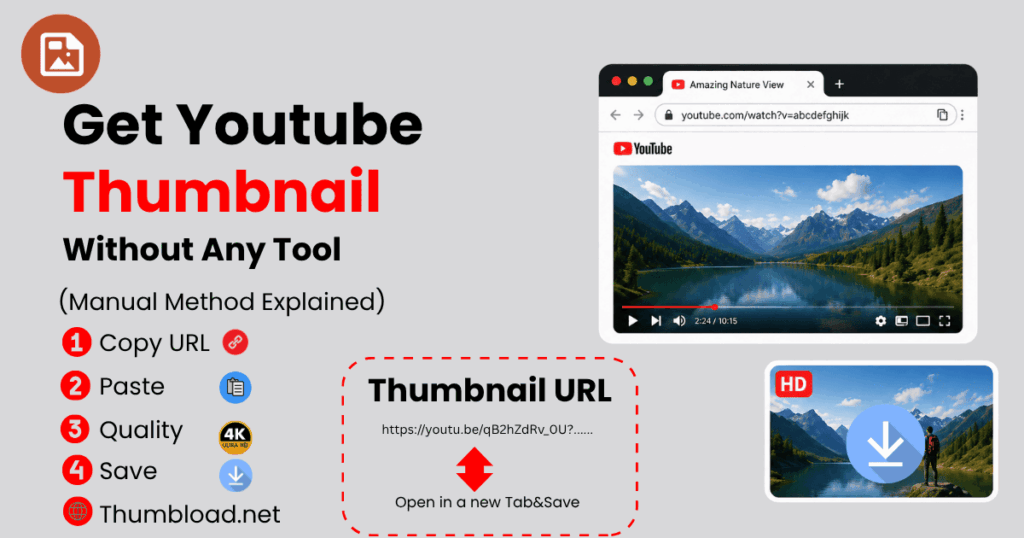
If you want to get a YouTube thumbnail without a tool, you are in the right place. In this guide from thumbload.net, we will explain a complete YouTube Thumbnail Manual Method that allows you to download any thumbnail in seconds without installing software or using third-party websites.
This is a fast, free, and 100% working trick that works on mobile and PC. Whether you are a blogger, designer, or content creator, this Manual YouTube Thumbnail Download method will save your time.
Why Learn to Get a YouTube Thumbnail Without a Tool?
Most users depend on apps or websites, but those tools often show ads, slow speed, or limited quality. That’s why learning how to Get YouTube thumbnail without a tool is a smarter option.
With this method, you can:
- Instantly access the YouTube video thumbnail image
- Get a high-resolution thumbnail
- Download Full HD thumbnail image
- Avoid unnecessary apps or extensions
This is a free method that requires no login, and gives you a one-click solution using simple URL tricks.
How to Get a YouTube Thumbnail Without Tool (Step-by-Step)
Here is the easiest Manual method to download YouTube thumbnail using a browser only.
Step 1: Copy Video URL
First, open any YouTube video and use the Copy video URL thumbnail method from the address bar or share button.
This is the base of the YouTube Thumbnail Manual Method.
Step 2: Extract Video ID
You need only the video ID from the link.
Example:
https://www.youtube.com/watch?v=ABC123xyz
Here, ABC123xyz is the ID.
This step is part of the YouTube Thumbnail Extract Method.
Step 3: Use Direct Thumbnail URL
Now use this simple format:
https://img.youtube.com/vi/VIDEO_ID/maxresdefault.jpg
Replace VIDEO_ID with your actual ID.
This is called the Direct thumbnail URL method and is the core of YouTube manual thumbnail extraction.
Step 4: Open & Save Image
Open the link in a browser and right-click → Save image.
You just completed Get YouTube Thumbnail Without Tool successfully.
This method is also known as Manual YouTube Thumbnail Download and works on all devices.
YouTube Thumbnail Manual Method Explained (Deep Guide)
The YouTube Thumbnail Manual Method is based on YouTube’s server structure. Every video has a default image stored in different resolutions.
Using this trick, you directly access the image file without any software.
This is why it is also called the YouTube image extraction technique or the thumbnail grabber method.
Available Thumbnail Quality:
- maxresdefault (HD quality)
- hqdefault (high quality)
- mqdefault (medium quality)
This ensures no compression image download and gives you original quality.
You can easily Download YouTube thumbnail without a tool using this method anytime.
Manual YouTube Thumbnail Download on Mobile
If you are using a smartphone, don’t worry. The Manual YouTube thumbnail download process on mobile is very simple.
Steps:
- Open the YouTube app or browser
- Copy video link (Mobile URL trick thumbnail download)
- Extract video ID
- Paste the direct URL in the browser
- Save the image manually
This is the easiest way to get a thumbnail without an app.
The Mobile method is fast and works on Chrome, Safari, and all browsers.
You can also Save YouTube Thumbnail Manually without installing anything.
Manual Thumbnail Save on PC
For desktop users, the Manual thumbnail save on PC method is even easier.
Steps:
- Open the YouTube video
- Copy URL
- Apply the direct thumbnail URL method
- Open image in new tab
- Right-click → Save image as
This browser-based thumbnail download method is widely used by designers and bloggers.
It is a perfect Manual YouTube Thumbnail Download solution for PC users.
YouTube Thumbnail Extract Method Using URL Trick
One of the most powerful tricks is the Simple URL trick for thumbnail.
This method helps you:
- Get the original image instantly
- Avoid tools and extensions
- Use the YouTube Thumbnail Image Download directly
This YouTube manual thumbnail extraction method is widely used because it is:
- Fast
- Safe
- Free
- No signup required
That’s why people prefer to Get YouTube Thumbnail Without Tool instead of using third-party websites.
Benefits of Manual YouTube Thumbnail Download
Here are some key benefits of using this method:
- ✔ Fast and easy method
- ✔ 100% working trick
- ✔ No software required
- ✔ Works on all devices
- ✔ Free method with one click solution
- ✔ High-quality output
You can also easily Download YouTube thumbnail without software using this guide.
This is the best HD Thumbnail Download Method for beginners and professionals.
Why is this method better than tools?
Most tools require:
- Ads
- Signup
- Slow loading
- Limited downloads
But with Get YouTube Thumbnail Without Tool, you avoid all these problems.
This Manual YouTube Thumbnail Download approach is simple and effective.
You can also save YouTube thumbnails without using the website, which makes it more secure and private.
Frequently Asked Questions (FAQ)
How to get YouTube thumbnail without any tool?
You can easily Get YouTube thumbnail without a tool using a direct URL method. Just copy video ID and open image link.
Is the manual method safe?
Yes, the YouTube Thumbnail Manual Method is 100% safe and uses YouTube’s own server.
Can I download HD thumbnails?
Yes, using this HD Thumbnail Download Method, you can get full resolution images.
Final Thoughts
Now you know how to Get YouTube thumbnail without a tool using a simple and effective approach. This Manual YouTube Thumbnail Download method is perfect for beginners, bloggers, and designers who want quick results.
Instead of relying on apps, you can now use this YouTube Thumbnail Manual Method anytime.
At thumbload.net, we aim to provide the easiest solutions for YouTube Thumbnail Image Download and other media extraction techniques.
Try this Manual YouTube Thumbnail Download on mobile or PC and enjoy a fast and easy method with instant download results.
👉 No tools. No apps. Just a simple trick that works every time.
Leave a Reply